

Master Canva and Create Profitable Digital Products 2026

If you’ve ever wanted to create digital products, social media content, or build a full online brand but felt stuck on where to begin, you’re not alone. Many people open Canva, see the templates, and click around without a clear plan. The real challenge isn’t that Canva is hard to use it’s that most users don’t know how to use it effectively to turn their ideas into income.

This post will guide you through mastering Canva step-by-step. You’ll learn how to build your design skills, create digital products that sell, and gain the confidence to launch your work online. Along the way, I’ll share helpful resources like the Canva Crash Course Full - LNP, which is designed to take you from beginner to confident creator.
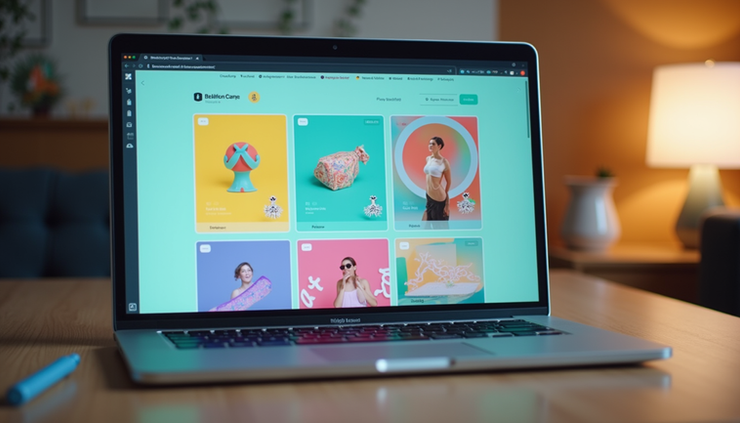
Canva workspace ready for creating digital products
Why Learning Canva Matters for Digital Product Creators
Canva is one of the easiest design tools available. It offers free and paid versions with tons of templates, fonts, and editing features. But many beginners feel overwhelmed because they don’t know how to start or what to focus on.
When you master Canva, you can:
Create professional-looking digital products quickly
Customize designs to fit your brand style
Save time by using templates and editing tools effectively
Export files in the right formats for selling or sharing
Build a consistent online presence that attracts customers
For example, the CANVA 101: MASTERING THE BASICS MASTERCLASS - LNP is a great resource if you want to understand Canva’s core features and tools without feeling overwhelmed.
Setting Up Canva for Success
Before you start designing, it’s important to set up your Canva account properly. Here’s what to do:
Create a free or Pro account depending on your needs. The Pro version unlocks extra features like premium templates and brand kits.
Familiarize yourself with the workspace: Learn where the templates, tools, and menus are located.
Organize your folders to keep your projects and assets easy to find.
Set up your brand kit if you have specific colors, fonts, and logos to use consistently.
The Canva Crash Course Full - LNP covers these steps in detail, helping you get started without confusion.
Designing Digital Products That Sell
Creating digital products that people want to buy means combining good design with clear value. Here are some tips to help you design products that stand out:
Use templates as a starting point but customize them to fit your style.
Choose font pairs that look good together and reflect your brand personality.
Apply editing tools like spacing, effects, and transparency to make your designs polished.
Use photo grids and frames to organize images neatly.
Add simple animations if your product is digital and supports it.
For example, if you want to create planners, ebooks, or social media kits, these techniques will make your products look professional and appealing.
Exporting and Sharing Your Designs
Once your design is ready, you need to save and export it correctly. Canva allows you to export files in formats like PNG, JPG, PDF, and MP4. Here’s what to keep in mind:
Export in high resolution for print products.
Use PDF format for ebooks or printable planners.
Choose transparent backgrounds for logos or overlays.
Save animated designs as MP4 or GIF files.
After exporting, you can upload your digital products to platforms like Etsy, your own website, or use tools like Stan Store for easy selling. The Canva Crash Course includes a walkthrough on how to upload and sell your products, making the process simple.
Editing PLR Content and Understanding Licensing
Private Label Rights (PLR) products are pre-made digital goods you can edit and sell as your own. Canva makes it easy to customize PLR content by changing colors, fonts, and images.
However, it’s important to understand licensing rules. Not all PLR products allow unlimited edits or resale. Always check the license terms before selling.
The Canva Crash Course also offers guidance on editing PLR content and explains licensing basics so you stay compliant.
Who Can Benefit from Learning Canva?
Canva is useful for many people, including:
Beginners who want to learn design from scratch
Digital product creators looking to build and sell online
Content creators and influencers needing eye-catching visuals
Entrepreneurs in beauty, business, lifestyle, and more
Anyone building an online brand who wants to save time and look professional
If you want a quick reference guide, the CANVA BASICS EBOOK - LNP is a handy resource that covers essential Canva skills in an easy-to-follow format.
How to Build Confidence with Canva
Confidence comes from practice and knowing what to do. Here are some ways to build your skills:
Follow step-by-step tutorials to learn tools and features
Start with simple projects like social media posts or flyers
Experiment with templates and customize them
Use courses or ebooks designed for beginners
Join Canva communities for support and inspiration
The Canva Crash Course Full - LNP is designed to eliminate confusion and save you hours of trial and error. It helps you create professional designs fast, whether you use the free or Pro version.
Final Thoughts on Mastering Canva and Creating Digital Products
Mastering Canva is about more than just learning a tool. It’s about turning your ideas into products that people want to buy. With the right guidance, you can build your design skills, create beautiful digital products, and start earning income confidently.
If you’re ready to stop guessing and start creating, consider exploring resources like the Canva Crash Course Full - LNP, the CANVA 101: MASTERING THE BASICS MASTERCLASS - LNP, or the CANVA BASICS EBOOK - LNP. These tools will guide you step-by-step and help you build confidence quickly.
Start today, and watch your ideas turn into digital products that actually sell.

$50
Product Title
Product Details goes here with the simple product description and more information can be seen by clicking the see more button. Product Details goes here with the simple product description and more information can be seen by clicking the see more button

$50
Product Title
Product Details goes here with the simple product description and more information can be seen by clicking the see more button. Product Details goes here with the simple product description and more information can be seen by clicking the see more button.
$50
Product Title
Product Details goes here with the simple product description and more information can be seen by clicking the see more button. Product Details goes here with the simple product description and more information can be seen by clicking the see more button.


Comments